
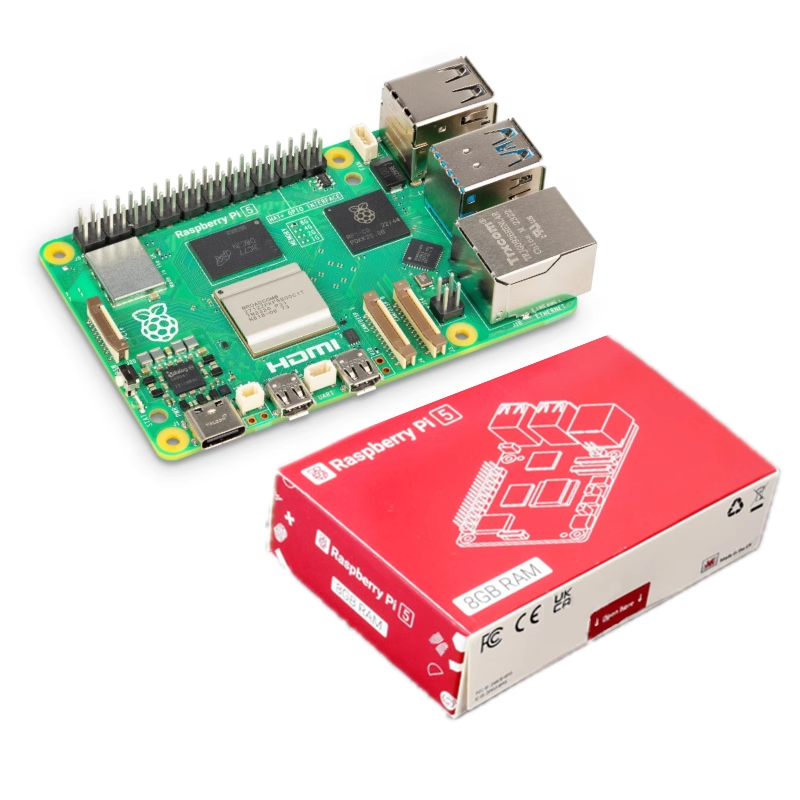
Raspberry Pi 5 Mini Computer Development Board - 8Gb Ram
• Processor: Quad-core ARM Cortex-A76, capable of high performance for computing tasks.
- Delivery in 2 to 4 working daysFree in Islamabad & Rawalpindi above Rs 5,000
- Cash on deliveryPay when your parcel arrives
- 7-day checking warrantyDead-on-arrival items replaced
- Packed with careAnti-static & padded packaging
Highlights
- MicroSD card (at least 16GB recommended)
- USB-C power supply (5V, 3A)
- HDMI cable (micro-HDMI to HDMI)
- Monitor/TV
- Keyboard and mouse
- Use a tool like Balena Etcher or Raspberry Pi Imager to write the OS image to the microSD card.
- Ensure the card is properly ejected after writing.
- Plug in your keyboard and mouse to the USB ports.
Specifications
- Dimensions
- 85.6mm x 56.5mm
- Weight
- Approximately 60g
- Video Output
- 2x micro-HDMI ports (up to 4Kp60 supported)
About this product
•Connectivity:
Raspberry Pi 5 8Gb Ram Mini Computer Development Board
The Raspberry Pi 5 is a powerful and versatile mini computer designed for a wide range of applications, from education and hobby projects to advanced computing tasks. With 8GB of RAM, it provides ample memory for multitasking and running memory-intensive applications, making it ideal for developers, makers, and educators.
•Connectivity:
The Raspberry Pi 5 with 8GB of RAM is a significant step forward in the Raspberry Pi lineup, providing enhanced performance and capabilities for a variety of projects and applications. Whether you’re a beginner or an experienced developer, the Raspberry Pi 5 opens up endless possibilities for creativity and innovation.
How to Use the Raspberry Pi 5 8GB RAM Mini Computer Development Board
•Gather Necessary Components:
•Raspberry Pi 5 board
•Prepare the MicroSD Card:
•Download an operating system image (e.g., Raspberry Pi OS) from the official Raspberry Pi website.
•Insert the MicroSD Card:
•Insert the prepared microSD card into the microSD card slot on the Raspberry Pi 5.
•Connect Peripherals:
•Connect the HDMI cable from the Raspberry Pi to your monitor or TV.
Related searches
You may also need
More Dev Boards →


Raspberry Pi & SBCs
HDMI to HDMI Connector for 5 inch Raspberry Pi Screen Connection with Raspberry Pi 3Rs 500


Raspberry Pi & SBCs
NIVDIA JETSON NANO B01 4GB Ram Developer Kit based on JETSON NANO 16GB EMMC Module BoardRs 75,000
